Super Spin Mobile App
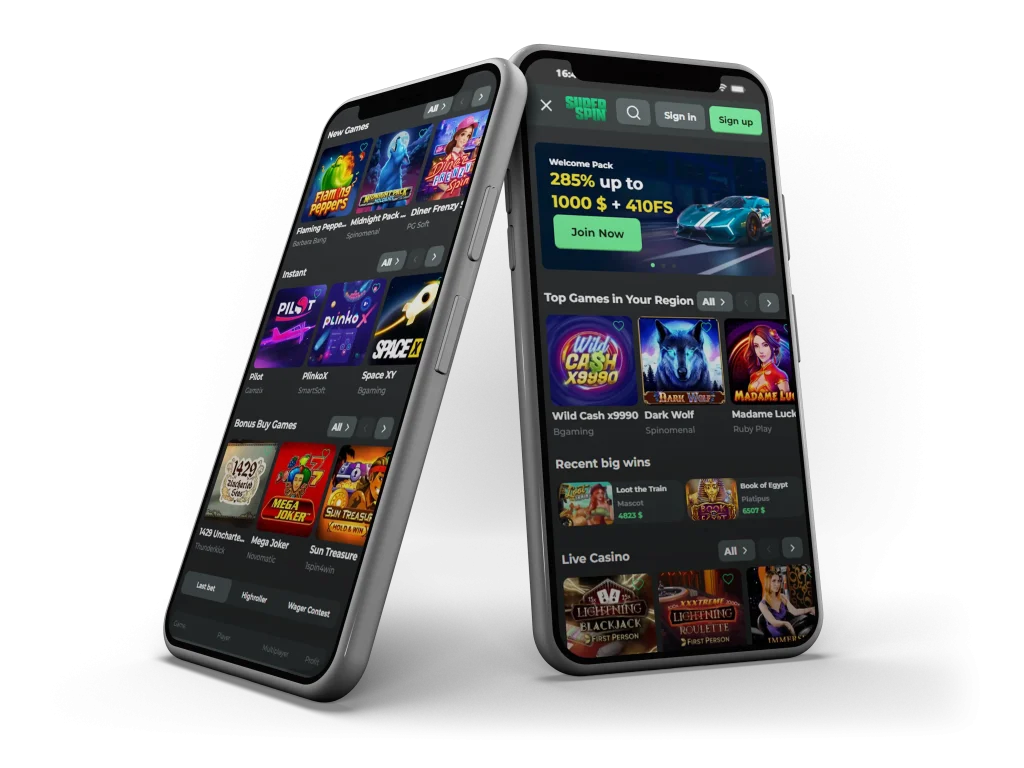





The mobile version supports both iOS and Android devices and adapts automatically to different screen sizes. Whether you are using a phone or tablet, the interface remains clear, responsive, and easy to navigate. All core casino features available on desktop can be accessed through the mobile experience.
Browser-Based Mobile Access Explained
Super Spin uses a browser-based mobile system that works through modern mobile browsers such as Safari, Chrome, or Edge. This approach allows players to access the casino directly through the website without installing a separate application file. Once added to the home screen, the shortcut opens in a full-screen view that closely resembles a native app.
This method keeps updates automatic, as changes are applied instantly through the website. There is no need to manually update the app, and users always access the most current version of the platform.
Key Mobile Features
The Super Spin mobile interface is built with usability in mind. Navigation menus are optimized for touch interaction, making it easy to switch between casino sections, access account tools, or search for specific titles. Buttons and menus are clearly spaced, reducing the risk of misclicks on smaller screens.
The mobile layout prioritizes readability and balance. Game tiles adjust smoothly, text remains clear, and loading times are kept practical for mobile connections. The experience is suitable for short sessions as well as longer play periods.
Performance and Speed on Mobile
Mobile performance at Super Spin focuses on stability and consistency rather than exaggerated speed claims. Pages load efficiently, and transitions between sections are smooth under normal network conditions. The browser-based system reduces unnecessary background processes, which can help preserve battery life compared to heavier native apps.
Because the platform runs in the browser, performance depends partly on your internet connection and device capability. On modern smartphones, the experience remains responsive and reliable for regular casino use.
Security and Account Protection
Super Spin applies standard security practices to protect user accounts on mobile devices. Encrypted connections are used to safeguard data during login and account activity. The browser-based setup means no sensitive files are stored locally on your phone, which can reduce certain device-level risks.
Players are encouraged to secure their devices with passwords or biometric protection and to log out after each session when using shared devices. Account settings can be managed directly from the mobile interface without needing desktop access.
Bonuses and Mobile Availability
Any casino bonuses available on Super Spin can be accessed through the mobile platform, provided they are active on the website. Bonus details, wagering conditions, and eligibility information are displayed clearly within the mobile interface.
The mobile version does not restrict access to promotions. Players can review bonus terms, activate available deals, and track progress directly from their phone. Terms and conditions apply to all bonuses, regardless of the device used.
iOS Home Screen Shortcut Setup
Super Spin does not require an iOS app download. Instead, iPhone and iPad users can add the site to their home screen.
To create the shortcut:
- Open Safari and visit the Super Spin website
- Tap the Share icon at the bottom of the screen
- Select Add to Home Screen
- Confirm the shortcut name and tap Add
Once added, the Super Spin icon appears on your home screen and opens in a dedicated full-screen view.
Android Home Screen Shortcut Setup
Android users can also access Super Spin without downloading an app file. The process is quick and works through most modern browsers.
To add the shortcut:
- Open Chrome or another supported browser
- Visit the Super Spin website
- Tap the browser menu icon
- Select Add to Home Screen
- Confirm to create the shortcut
The shortcut behaves like an app icon and provides direct access to the mobile casino.
Mobile Casino Play Experience
Games on Super Spin are adapted for mobile play with responsive controls and screen-friendly layouts. Touch-based interaction allows for smooth gameplay, and the interface adjusts automatically between portrait and landscape modes where supported.
Players can browse, launch, and manage sessions easily without switching devices. The mobile experience is designed to mirror desktop functionality while remaining comfortable for handheld use.
Why Use the Super Spin Mobile Experience
The Super Spin mobile setup combines convenience with control. By using a browser-based shortcut instead of a traditional app, players gain fast access without downloads, updates, or storage concerns. The interface is practical, secure, and designed to support everyday mobile use.
This approach makes Super Spin suitable for players who value flexibility, simplicity, and easy access across devices.